DNS onboarding
Authenticate your domain so Bento can send on your behalf and keep Gmail/Yahoo happy with the 2024 deliverability requirements.
DNS changes can look intimidating, but you are mainly copying five records from Bento into your DNS dashboard. Follow the sequence below and you will be ready to send verified email within minutes.
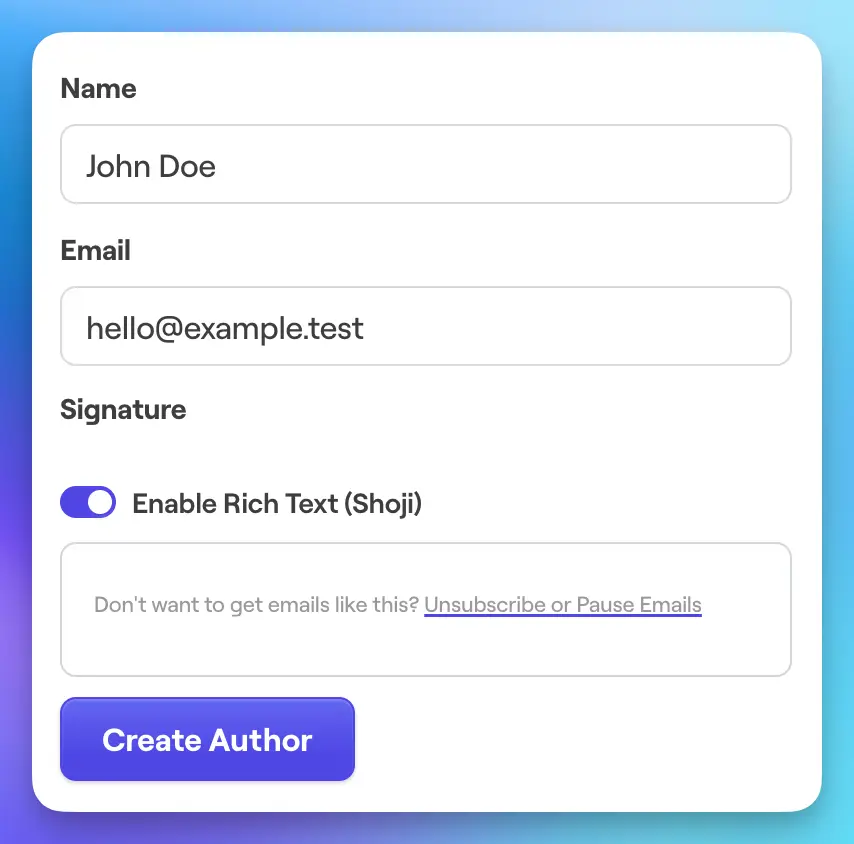
Bento generates DNS records from the domains attached to your authors, so start by creating the exact address you will send from (for example support@example.com).
- Open `Email → Authors`, choose a role-appropriate mailbox (support, hello, etc.), and save it before moving on.
- Each author you add can use a different domain, which is perfect for separating marketing, transactional, or support mailstreams.
- Once saved, Bento produces the SPF, DKIM, and tracking records you will need in the next step.
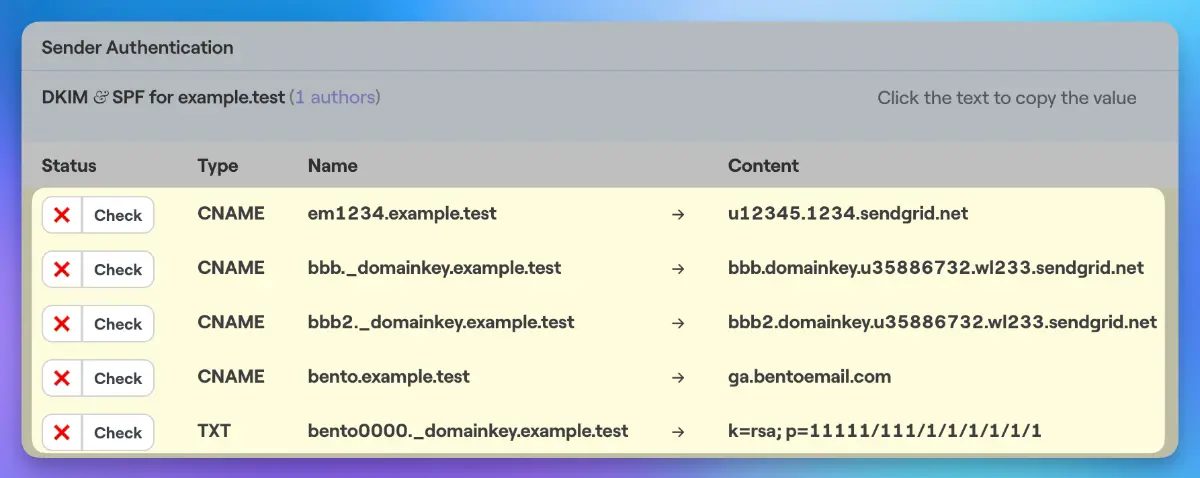
Head to `Deliverability → DNS Records` to see the host/value pairs generated for the author’s domain, then recreate each record inside your DNS host (Cloudflare, GoDaddy, etc.).
- Every domain needs the complete set of five records (three DKIM, one SPF/Return-Path, and one tracking CNAME).
- Clicking a record in the Bento UI copies it to your clipboard—use that to avoid typos when pasting into your DNS dashboard.
- Disable any orange-proxy/CDN layer (e.g., Cloudflare’s proxy) for these records so the raw DNS values resolve correctly.
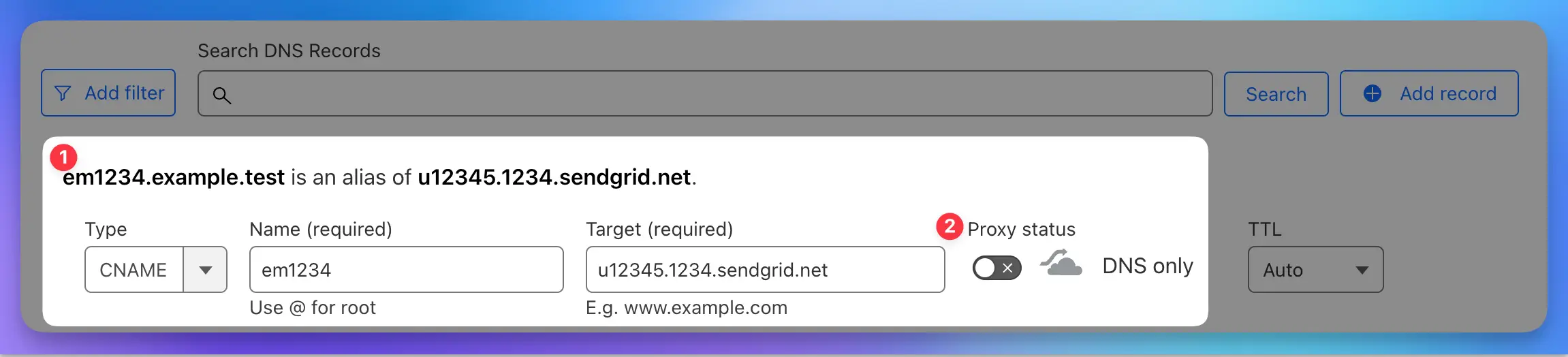
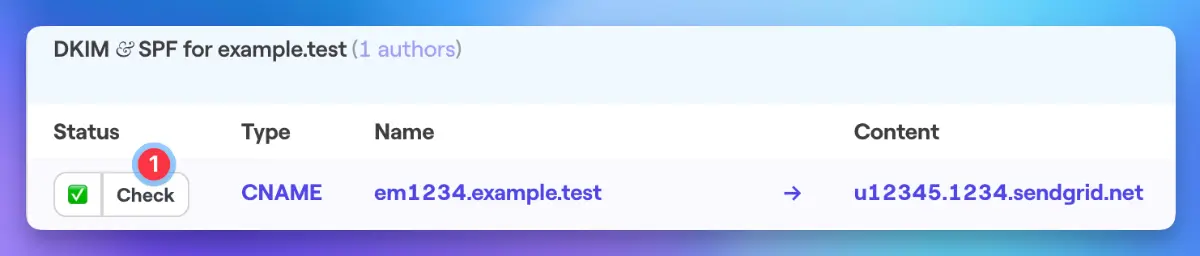
After your DNS host saves the records, return to `Deliverability → DNS Records` and use the **Check** button to confirm replication.
- Propagation is usually instant but can take a few minutes depending on TTL and provider caching.
- Each verified record turns blue with a green check mark. When all five are green the domain is ready for production sending.
- If a record will not verify, double-check the host (no extra domain suffixes) and ensure any CDN proxying is disabled.
Before you start
- Your DNS provider login (Cloudflare, GoDaddy, Namecheap, Route53, etc.).
- Access to the Bento account that owns the sending domain.
- The exact mailbox (author) you plan to use for marketing or transactional sends.
After everything turns green
Keep screenshots of the verified panel with timestamps if you work with compliance teams. It proves the domain was authenticated before bulk sending and speeds up any future audits.
DNS records are cached globally. If you rename or remove them, most providers will take several minutes to propagate the change—plan maintenance windows accordingly.
Need help?
DNS can be fickle. If you hit a roadblock, drop a note in the Bento Discord or share the record details with our support team. Screenshots of your DNS host + the Bento panel will speed things up.