Confirmed opt-in flow
Build a double opt-in (COI) automation in Bento so every subscriber explicitly confirms their address.
Why COI matters
Watch Jesse Hanley's Double Opt-in Tutorial
Watch Mark Szymanski's Double Opt-in Tutorial
Managing opt-ins
Decide which entry points truly need a double opt-in. Blog forms almost always do; authenticated app signups might not. The goal is to prevent typos and malicious signups from ever landing in your marketing segments.
Flow outline
- Track the signup as a custom event (or via Shopify/Stripe/another integration).
- Unsubscribe the visitor with the reason `double opt-in`.
- Send a transactional confirmation email that points to your confirmation page.
- Use a "New Email Click" trigger to catch confirmed visitors.
- Subscribe the person again once they click.
- Update an audit field (for example `consented_via = double opt in`).
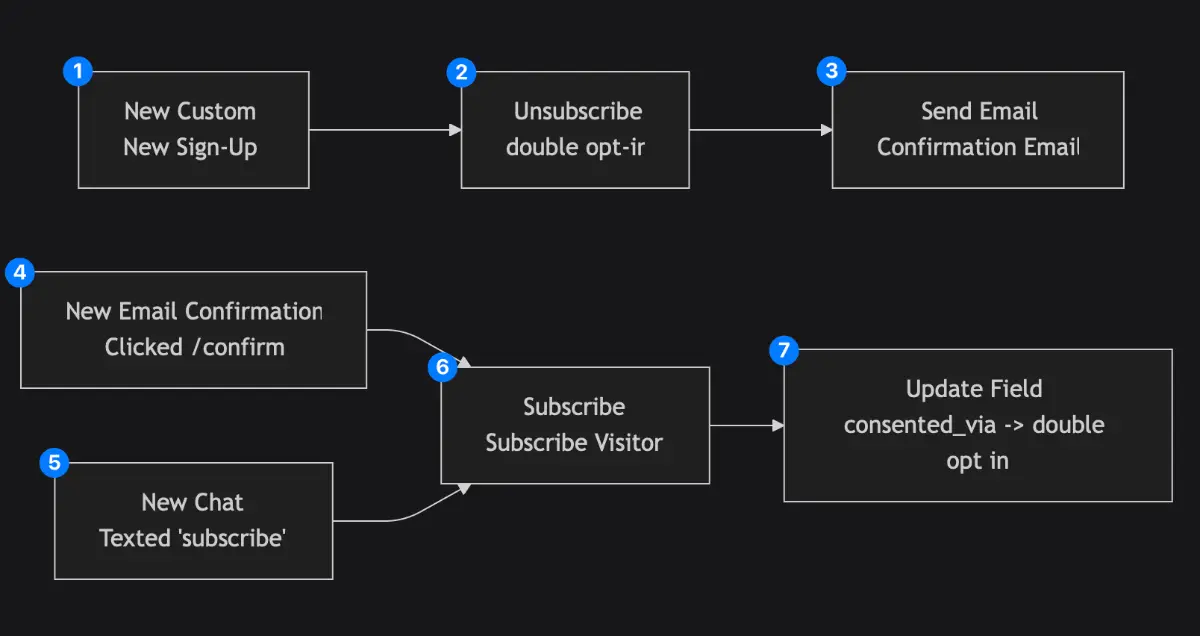
When someone signs up
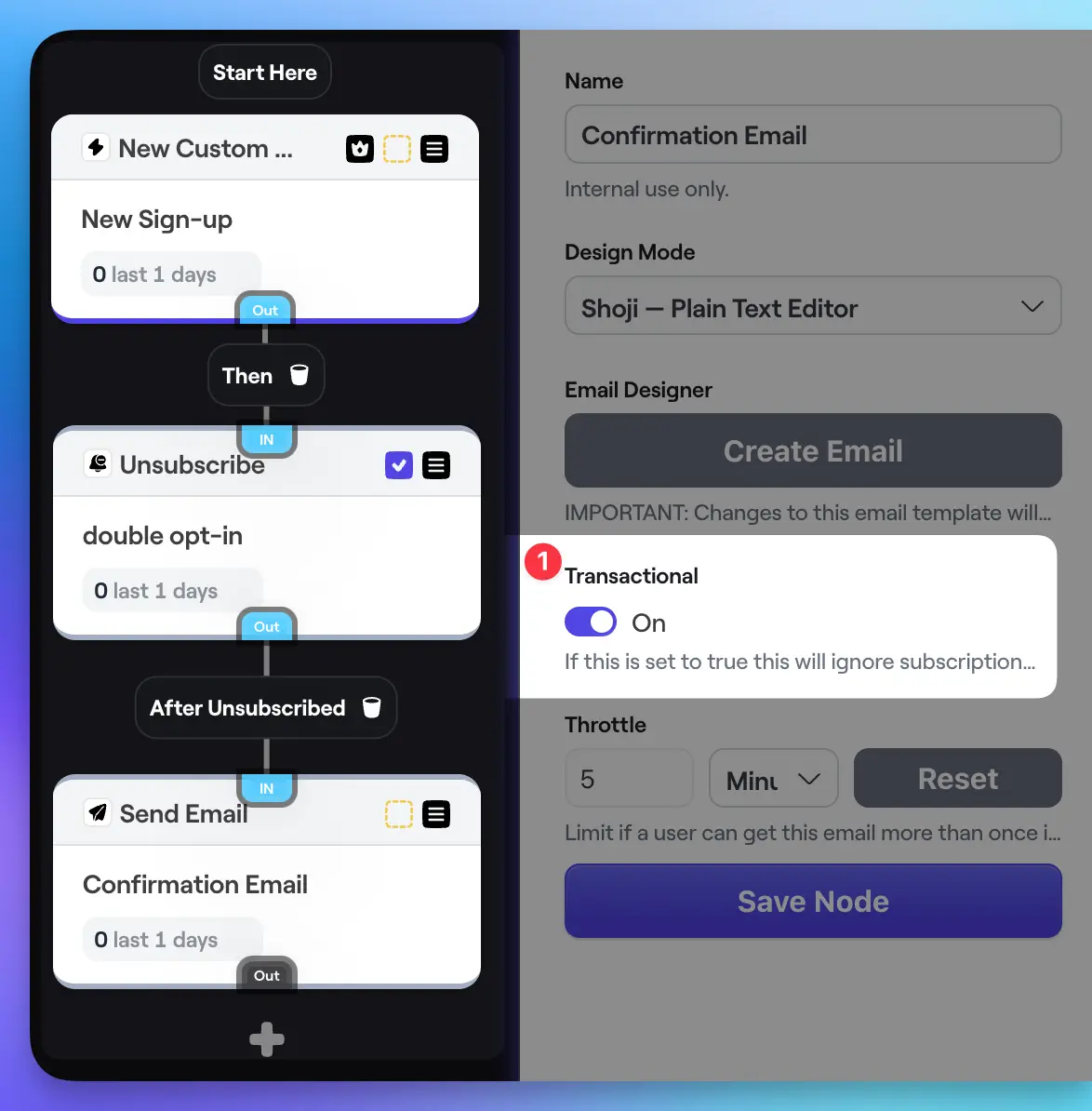
Step 1
New custom event
Use a custom event (blog signup, ecommerce purchase, etc.) as the trigger.
Step 2
Unsubscribe
Immediately unsubscribe the visitor and leave the reason `double opt-in` so you can segment on it later.
Step 3
Send transactional email
Send a confirmation email and mark it transactional so it goes out even though the person is unsubscribed.
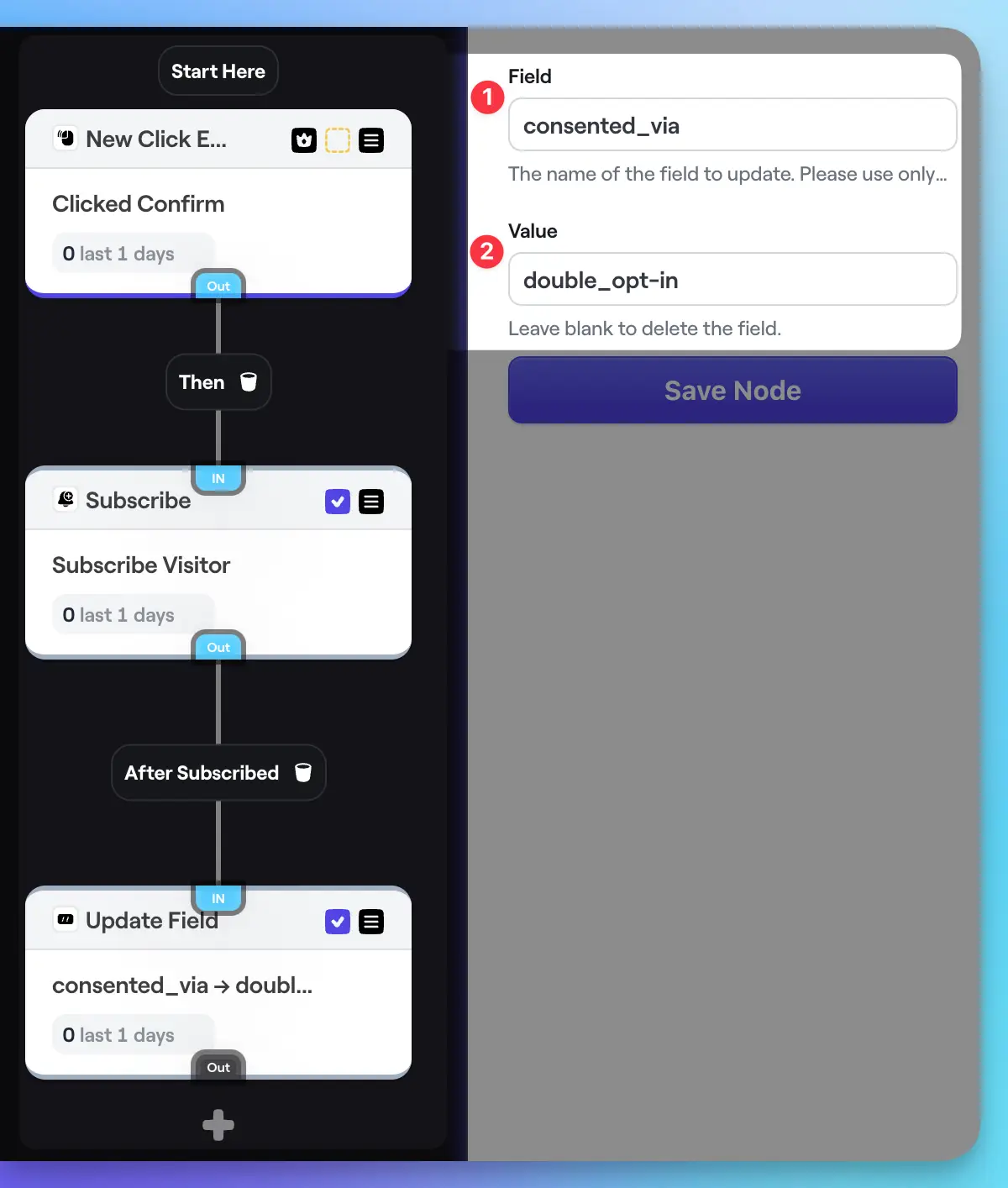
When they click the confirmation link
Step 4
New email click
Listen for the confirmation link click. Bento deduplicates bot clicks so you get reliable consent signals.
Step 5
Subscribe
Flip the visitor back to subscribed—this reverses the temporary unsubscribe from the first path.
Step 6
Update field
Stamp a field such as `consented_via` so you have an audit trail of how the person opted in.
Bonus: EU-only logic
- After the first custom event, add a Split to detect EU visitors.
- Send EU visitors through the COI steps above.
- Non-EU visitors can skip the confirmation path (or follow a lighter version) if your risk profile allows it.
Wrapping up
- • Handle every intake path deliberately—blog forms may need COI even if app signups do not.
- • Always log the reason you unsubscribed/resubscribed people so future audits are easy.
- • Transactional confirmation emails ignore subscription status, making them perfect for COI flows.
- • Record the consent source (field, tag, note) so you can prove legitimacy if challenged.
Questions or edge cases? Drop a message in the Bento Discord and we will help you tailor the flow.