Cloudflare DNS for Bento
Authenticate your domain, align tracking links, and keep Gmail/Yahoo compliant by publishing Bento's records inside Cloudflare.
Customers sending 5,000+ messages per day must publish SPF, DKIM, and DMARC to satisfy Gmail/Yahoo's 2024 enforcement.
Prerequisites
- Access to your Cloudflare account and the sending domain.
- Permissions to add DNS records.
- Your Bento-generated record set (System → DNS).
Required DNS records
      example              CNAME  example.test.sendgrid.net
bbb._domainkey       CNAME  bbb.domainkey.example.test.sendgrid.net
bbb2._domainkey      CNAME  bbb2.domainkey.example.test.sendgrid.net
bento                CNAME  ga.bentoemail.com
bento3180._domainkey TXT    k=rsa; p=example...
_dmarc               TXT    v=DMARC1; p=quarantine; adkim=s
Copy the exact hostnames/values from Bento. These examples exist only to illustrate formatting.
Step 1
Open the Cloudflare DNS tab
- Sign in at dash.cloudflare.com.
- Select your sending domain.
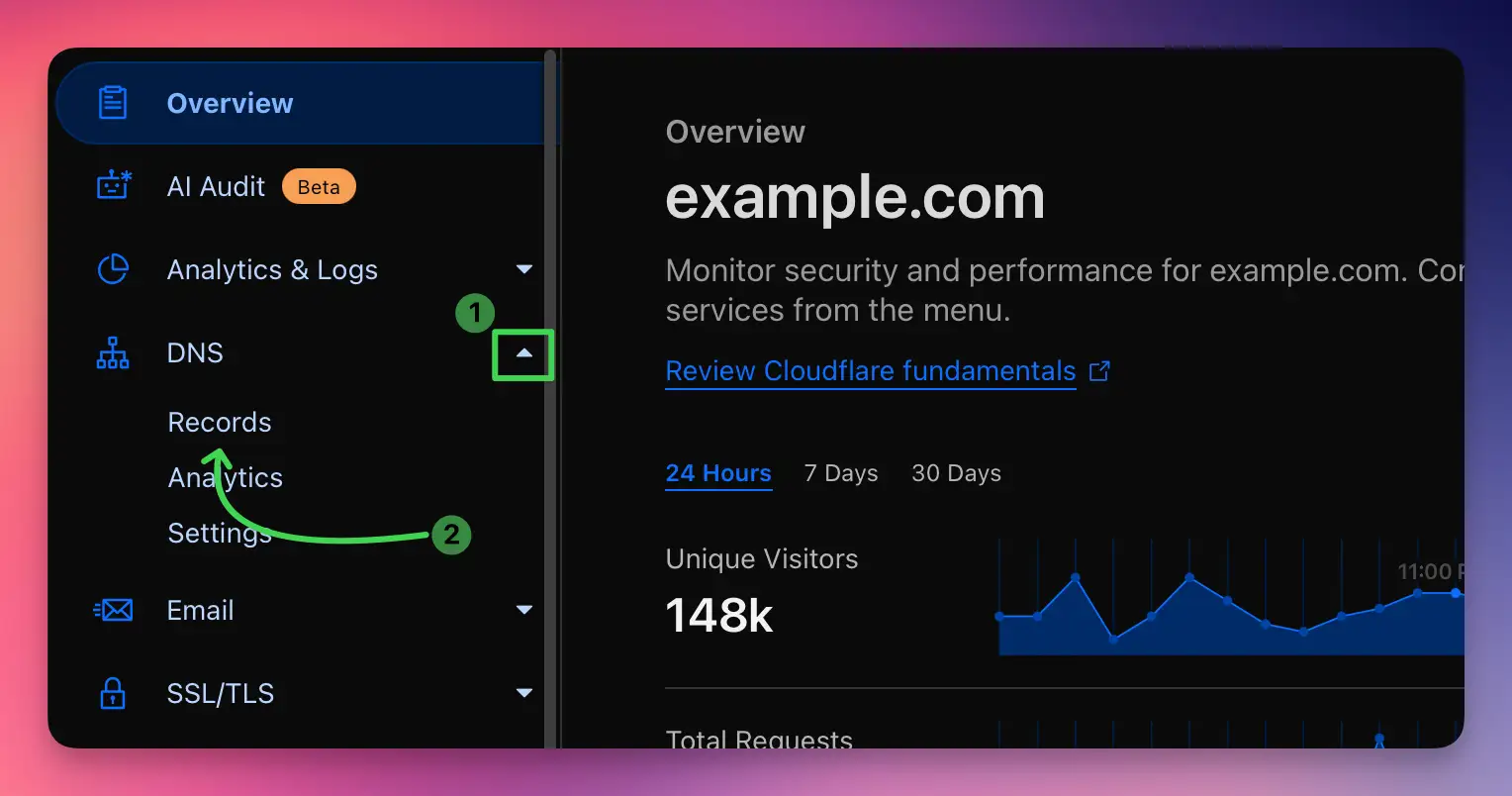
- Click DNS in the sidebar to view the zone file.
If the domain is missing, onboard it in Cloudflare first so you control the DNS zone.
Step 2
Add the CNAME records
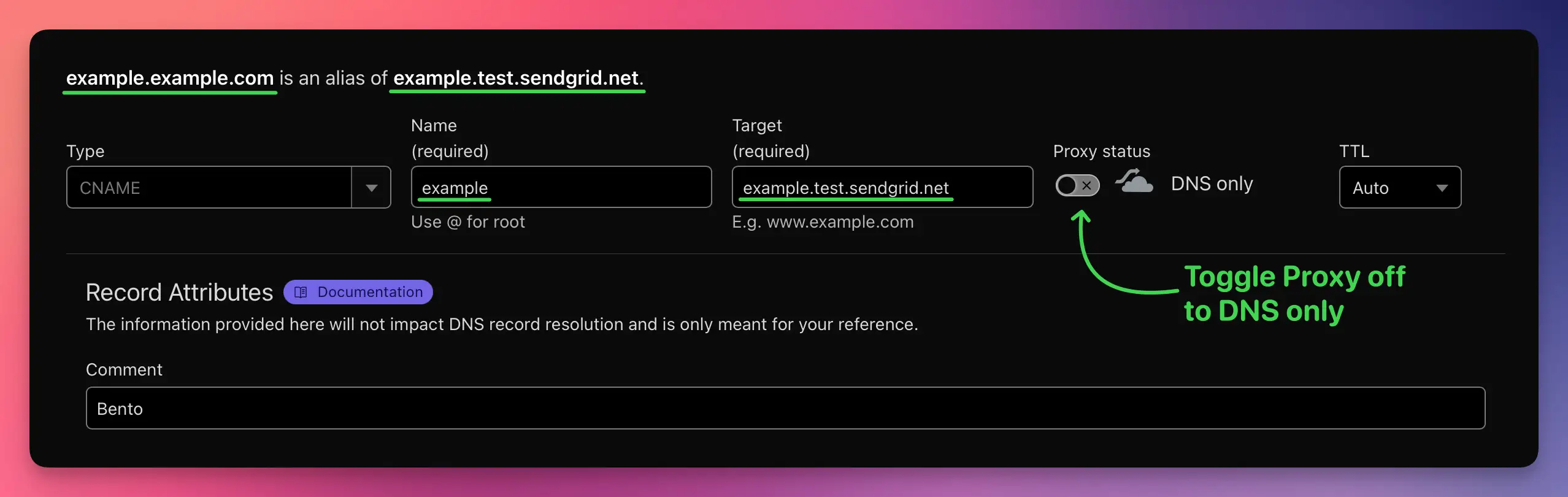
- Click Add record → choose CNAME.
- Enter the host from Bento (for example
example,bbb._domainkey). - Paste the target value exactly as shown.
- Set TTL to Auto.
- Toggle Proxy status to DNS only (grey cloud).
- Save and repeat until all four CNAMEs exist.
Do not enable the orange proxy. Mailbox providers must see Bento's hostname.
Only add records—do not overwrite unrelated DNS entries.
Step 3
Add the TXT records
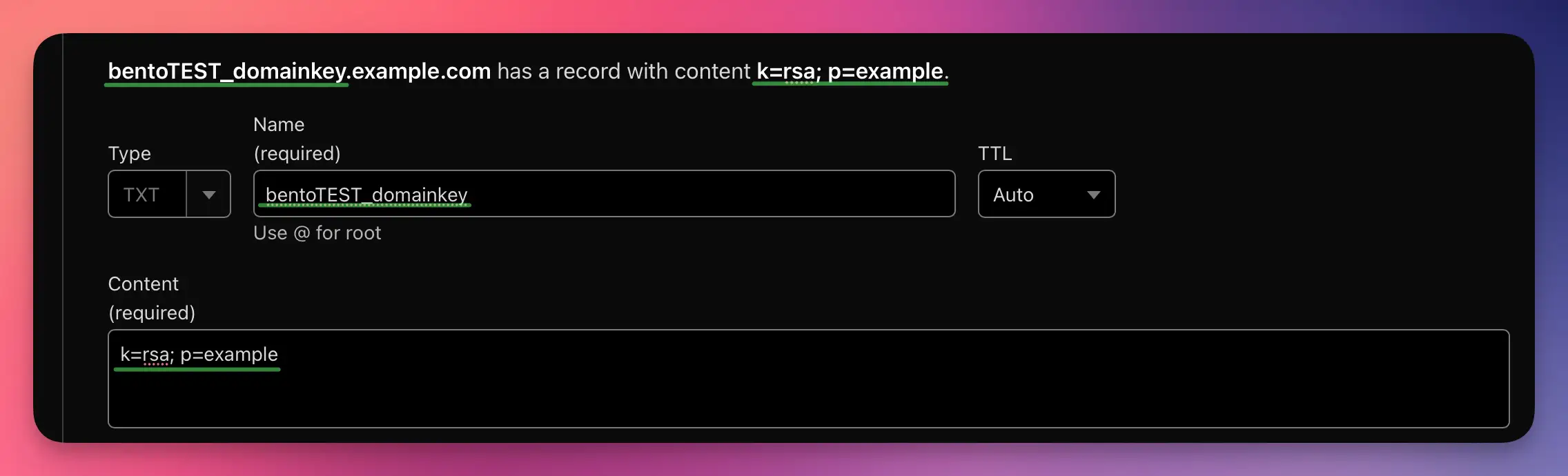
- Create the DKIM TXT record (for example
xxxx._domainkey) and paste the entirek=rsa; p=string. - Add the DMARC TXT record at host
_dmarcwith Bento's recommended policy. - Set TTL to Auto or 1 hour.
Copy/paste from Bento to avoid truncating the DKIM public key.
Step 4
Verify in Bento
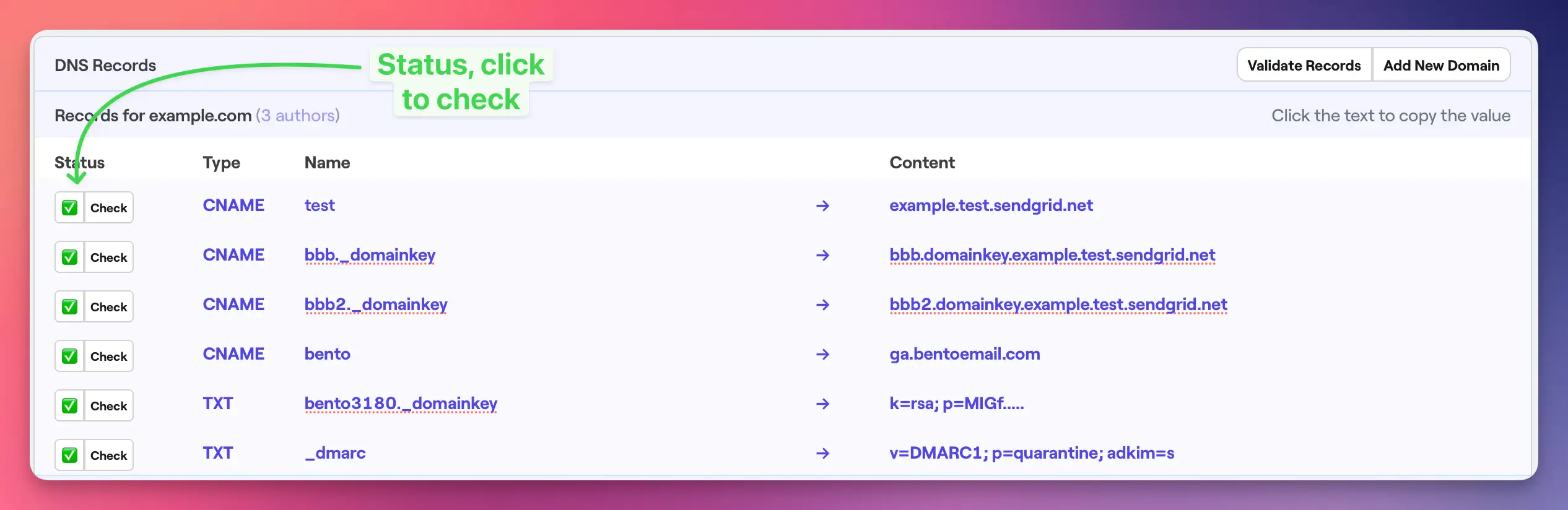
- Go back to System → DNS inside Bento.
- Wait 5–10 minutes (propagation may take up to 48 hours).
- Click Check next to each record until they display a green check mark.
Only add new records—editing someone else's DNS entry can break other infrastructure.
Step 5
Final record audit
- Four CNAMEs listed with grey clouds (DNS only).
- Two TXT entries with the exact Bento values.
- All records share a consistent TTL.
Troubleshooting
- Records not verifying? Ensure the proxy is disabled and wait another 15–30 minutes.
- Use `dig CNAME host.domain.com` or `dig TXT domain.com` to confirm Cloudflare is serving the new values.
- Split long TXT strings into quoted segments only if Cloudflare instructs you—most of the time you can paste the full key.
Next steps
- Send yourself a test email after everything turns green.
- Monitor deliverability metrics during the first few campaigns.
- Leave the records untouched unless support directs you to rotate keys.
Need help? Share screenshots in the Bento Discord or reply to support so we can sanity-check your zone.