AWS Route 53 DNS for Bento
Publish Bento's authentication + tracking records inside your Route 53 hosted zone.
Gmail/Yahoo enforce authentication for senders over 5,000 messages per day—finish DNS before you ramp volume.
Prerequisites
- AWS account with permission to edit Route 53 hosted zones.
- The sending domain already configured as a hosted zone.
- Bento-generated DNS bundle from System → DNS.
Required DNS records
      example              CNAME  example.test.sendgrid.net
bbb._domainkey       CNAME  bbb.domainkey.example.test.sendgrid.net
bbb2._domainkey      CNAME  bbb2.domainkey.example.test.sendgrid.net
bento                CNAME  ga.bentoemail.com
bento3180._domainkey TXT    k=rsa; p=example...
_dmarc               TXT    v=DMARC1; p=quarantine; adkim=s
Copy the exact hosts from Bento—Route 53 automatically appends the zone name to whatever you type.
Step 1
Open the hosted zone
- Log into the AWS console and search for Route 53.
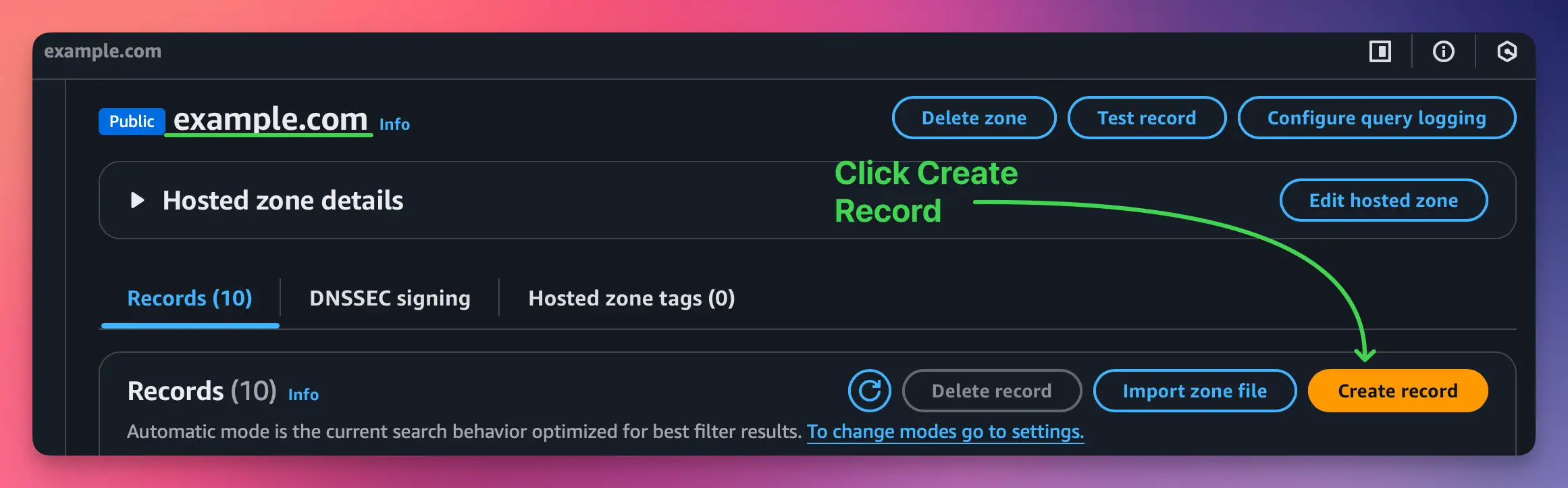
- Click Hosted zones → choose the sending domain.
- Confirm the NS + SOA records match the registrar so you're editing the live zone.
You can manage the same zone via the console, CLI, or IaC. This guide focuses on the console for clarity.
Step 2
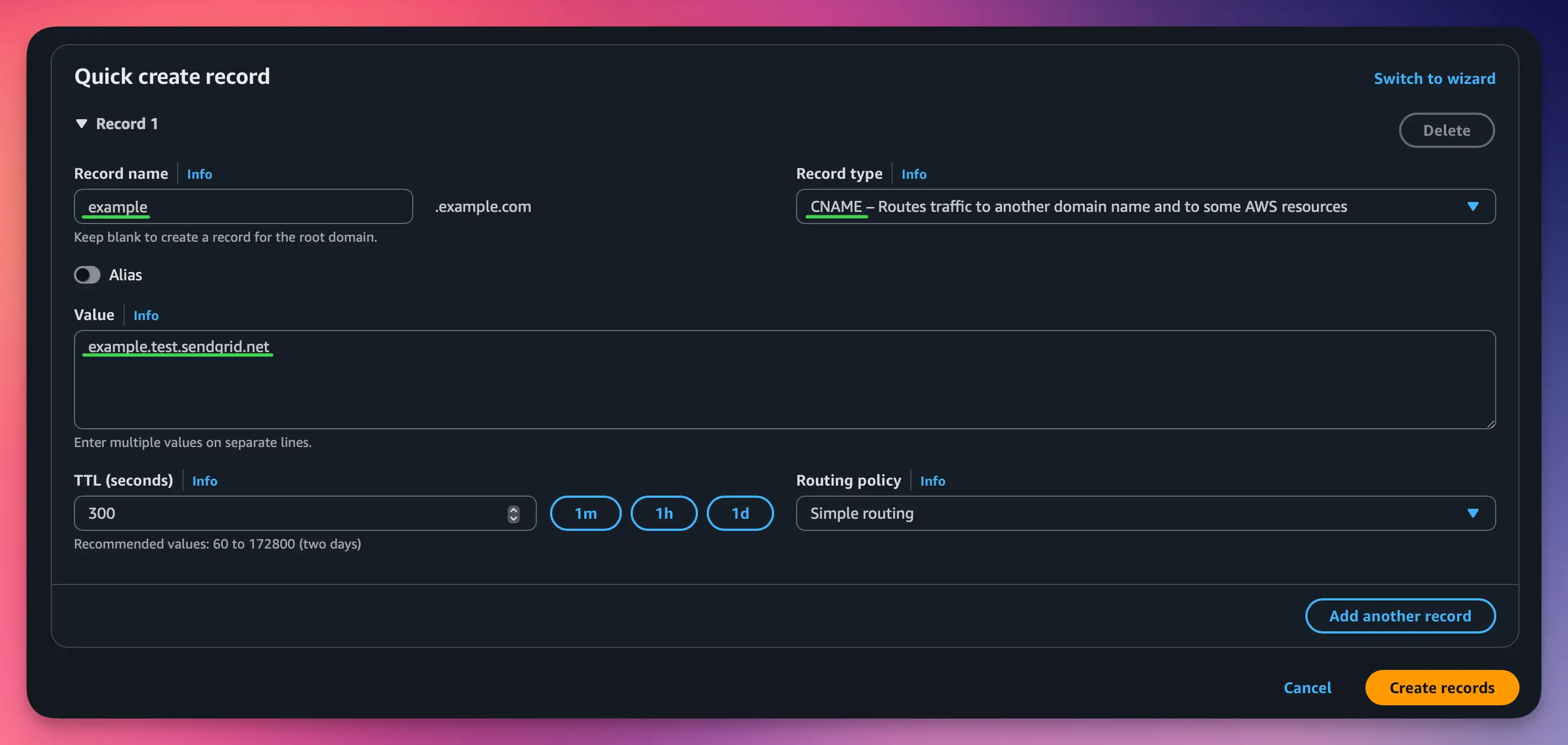
Create the CNAME records
- Click Create record.
- Enter the Bento host (example,
bbb._domainkey) inside Record name. - Choose CNAME as the record type and paste Bento's target value.
- Set TTL to 300 seconds for faster propagation.
- Leave routing policy = Simple and click Create records.
Do not delete existing Route 53 entries—only add the Bento records alongside your current DNS.
Step 3
Create the TXT records
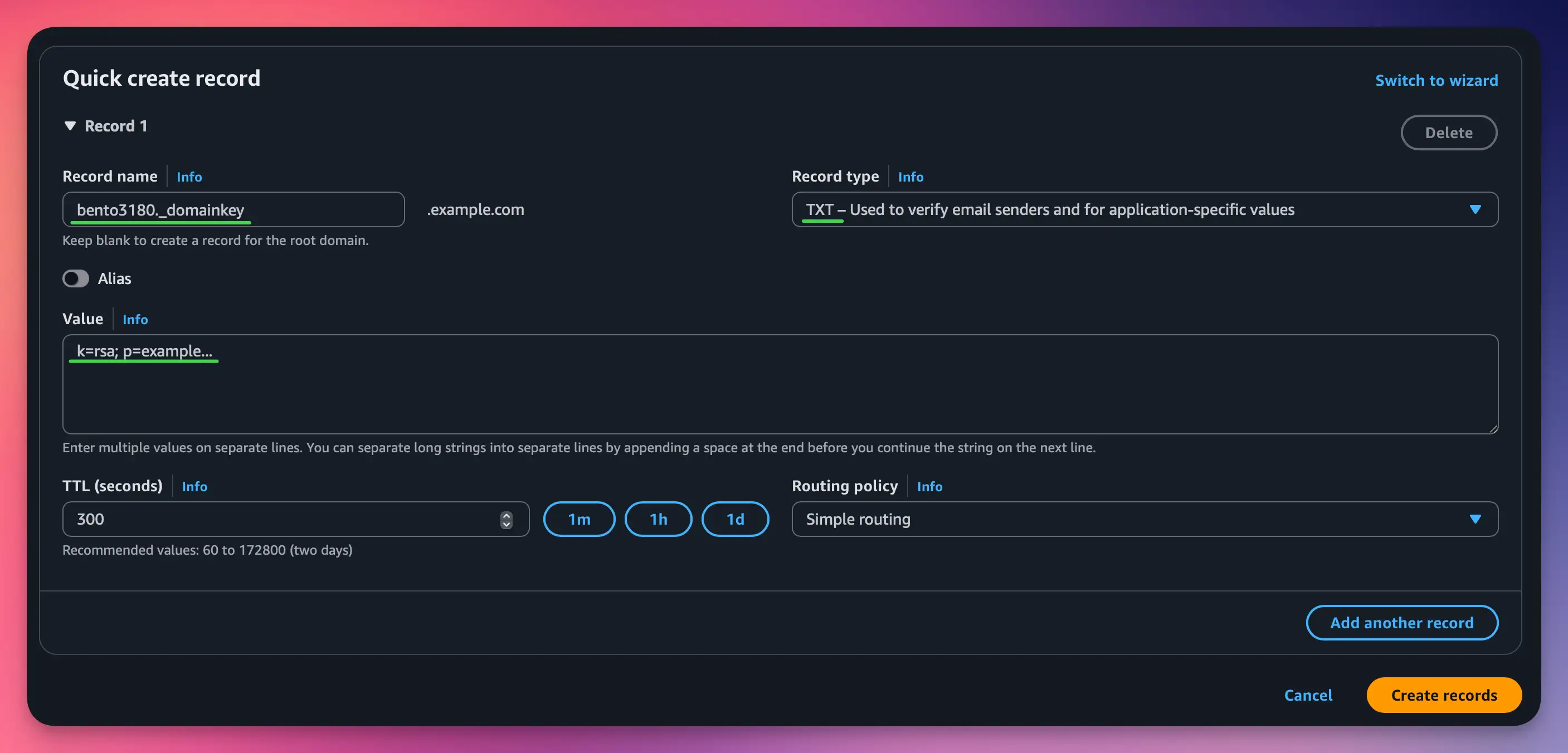
- Click Create record again.
- For DKIM, use the Bento selector (for example
bento1234._domainkey) as Record name. - Select TXT and paste the exact Bento DKIM key in the Value textarea.
- Repeat for DMARC using host
_dmarcand Bento's policy string. - Keep TTL at 300 seconds and save each record.
AWS wraps TXT values in quotes automatically. Paste the full string directly from Bento.
Step 4
Verify inside Bento
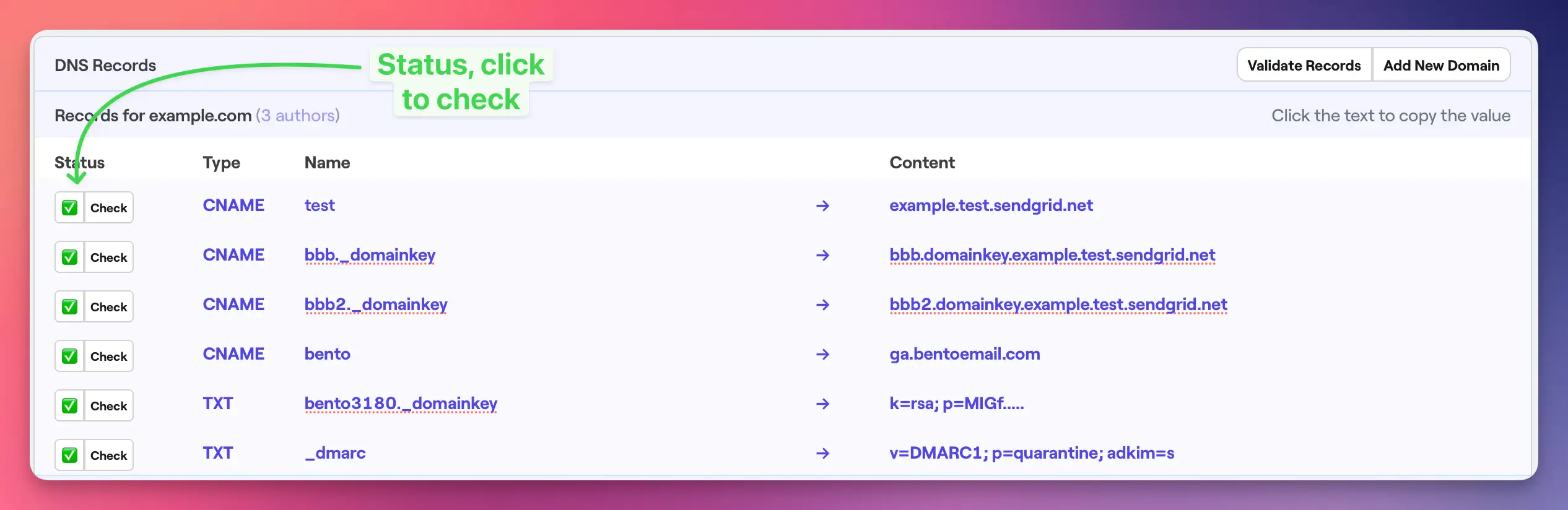
- Return to Bento → System → DNS.
- Wait 5–10 minutes (Route 53 usually propagates in under a minute, but caches vary).
- Click Check next to each record until the badge turns green.
- Fix any failures by comparing the Bento host/value pairs against Route 53.
If verification still fails after 30 minutes, confirm you edited the correct hosted zone and that no other records share the same hostnames.
Step 5
Final record audit
- Four CNAME records with 300s TTL, Status = INSYNC.
- Two TXT records (DKIM + DMARC) using Bento's strings.
- No conflicting CNAME/TXT entries with the same hostnames.
- Bento DNS checker shows six green pills after validation.
Route 53 tips
- Record names never include the root domain—Route 53 appends it automatically.
- Set TTL to 300 seconds while you are verifying, then increase later if desired.
- Long TXT strings must be wrapped with quotes; Route 53 adds them for you when pasted.
- Ensure your IAM role has route53:ChangeResourceRecordSets, otherwise writes silently fail.
Troubleshooting
- Missing hosted zone? Create one first or switch to the zone that actually serves the domain.
- Verification still pending? Use the Route 53 console status column and DNSChecker to confirm propagation.
- For DKIM failures, confirm you pasted the entire key; AWS will split it into quoted chunks automatically.
- Never replace existing SPF/DKIM from other providers unless you intend to retire them.
Next steps
- Send a test campaign to confirm signatures and links.
- Monitor CloudWatch/Route 53 health if you automate DNS elsewhere.
- Revisit TTL later if you prefer a longer cache window.
Need a second set of eyes? Share screenshots in the Bento Discord or reply to support and we'll review your zone.