SendOwl + Bento
Track SendOwl storefront activity, purchase events, and lifetime value inside Bento with a single script + webhook.
+
digital-products payments webhooks
Track SendOwl storefront activity, purchase events, and lifetime value inside Bento with a single script + webhook.
Quick facts
- Vendor
- SendOwl
- Category
- second party
- Tags
- digital-products, payments, webhooks
Requirements
- Bento workspace with site UUID, publishable key, and webhook URL
- SendOwl account with permission to edit tracking scripts and webhooks
Overview
The SendOwl connector has two jobs:
- Track page views and visitor metadata through Bento’s JavaScript snippet.
- Sync order events via a webhook so Bento can update subscriber lifetime value and trigger automations.
Requirements
- Active Bento account.
- SendOwl store.
- Bento tracking script (for on-site activity).
- Bento webhook endpoint (for purchase events).
Tracking Script Installation
- In SendOwl, open the Tracking Script area from the main menu.
- Copy your Bento tracking script from System → Apps → Tracking (replace
site_uuidif needed). - Paste the snippet into the Global Header field in SendOwl.
- Click Save and confirm the script matches what you copied from Bento.
Webhook Setup
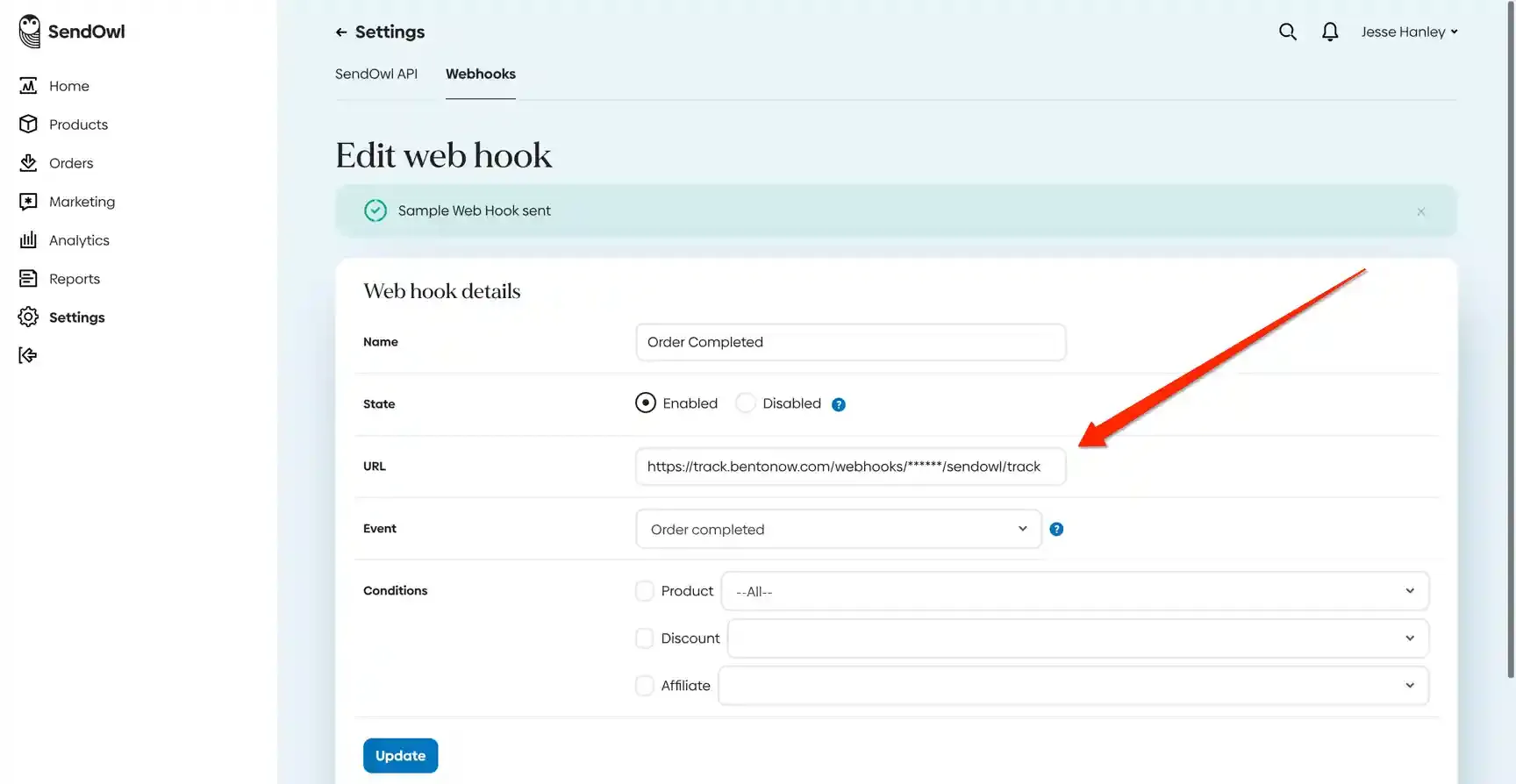
- Inside SendOwl, go to Settings → Webhooks and click Create Webhook.
- Name the webhook (for example “Bento”).
- Set the state to Enabled.
- Paste the Bento webhook URL. Replace the
site_uuidparameter with the site that should receive SendOwl events. - Choose order:new from the Events dropdown.
- Save the webhook.
How the connection works
- Tracking script: captures
$pageand visitor data. Once Bento identifies the user, activity ties back to their subscriber profile. - Webhook: fires whenever SendOwl marks an order as new. Bento records the purchase event, updates LTV, and can start flows or automations based on the order metadata.
With both pieces enabled, every SendOwl visitor and customer appears inside Bento with complete browsing and purchase context.
Need the original Markdown? Open raw file