Supabase + Bento
Use Supabase Edge Functions to send onboarding events and transactional emails through Bento.
Use Supabase Edge Functions to send onboarding events and transactional emails through Bento.
Quick facts
- Vendor
- Supabase
- Category
- second party
- Tags
- database, edge-functions, transactional-email
Requirements
- Active Bento workspace with publishable key, secret key, and site UUID
- Supabase project with Edge Functions enabled
- Ability to define Edge Function secrets and deploy functions
- Frontend route or deep link that handles verification/welcome flows
Overview
Pairing Supabase with Bento lets you:
- Emit custom events (signups, confirmations, purchases) straight from Edge Functions.
- Send transactional or onboarding emails via Bento’s API instead of wiring SMTP.
- Keep Bento subscriber fields and tags aligned with the authentication state inside Supabase.
Requirements
- Access to System → API Keys in Bento to copy the Publishable Key, Secret Key, and Site UUID.
- Supabase CLI or dashboard access so you can add secrets and deploy Edge Functions.
- A plan for where users land after verification (Supabase auth callback, application route, etc.).
Installation steps
1. Generate Bento keys
Grab your keys from Bento and keep them handy—you’ll store them as Edge Function secrets inside Supabase.
2. Create Supabase secrets
In the Supabase dashboard (or via supabase secrets set) add the keys the sample functions expect:
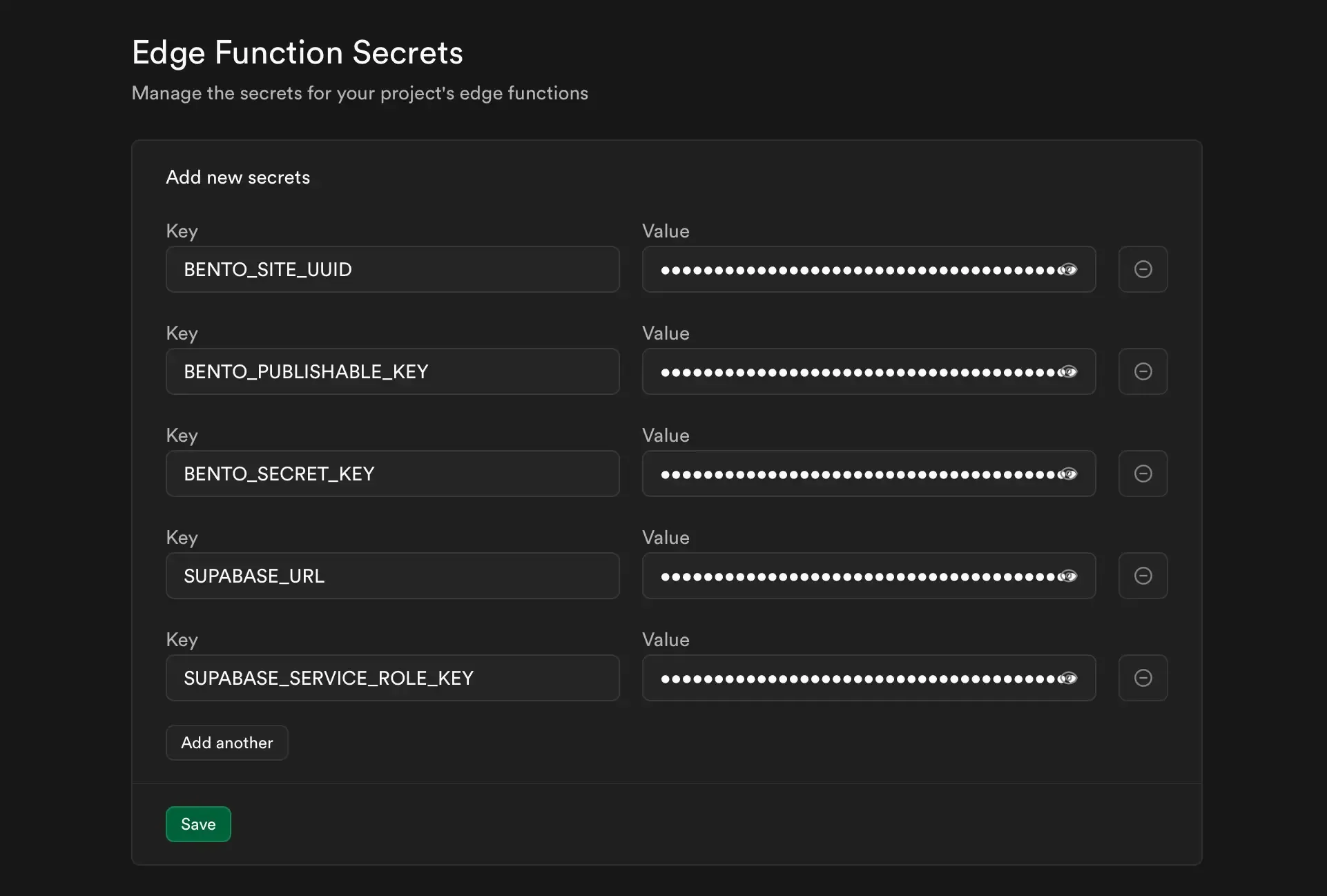
SUPABASE_URL=...
SUPABASE_SERVICE_ROLE_KEY=...
BENTO_PUBLISHABLE_KEY=...
BENTO_SECRET_KEY=...
BENTO_SITE_UUID=...
3. Deploy the sample Edge Functions
The SDK ships with two starter functions:
register-user– creates the user in Supabase, pushes auser_registeredevent to Bento, and sends the welcome email.verify-user– finalizes the Supabase confirmation and emits a$user_confirmedevent you can wire to Bento flows.
Customize them (fields, payload shape, templates) and deploy with supabase functions deploy.

Note: Bento does not expose SMTP. These examples show how to call Bento’s transactional email endpoint from your Edge Function instead.
Warning: The provided snippets are reference implementations. They only persist minimal data. Harden them (validation, logging, retries) before using them in production.
4. Optional: trigger Bento flows
Inside Bento, listen for the $user_confirmed (or any custom) event and start welcome/onboarding journeys from there. Mapping Supabase metadata to Bento fields gives your marketers the context they expect.
How the connection works
- Supabase Edge Function receives a signup or verification event.
- The function calls Bento’s API with the subscriber email plus any fields/tags you pass.
- Bento records the event, updates lifetime value or attributes, and exposes it to Flows, Segments, and analytics.
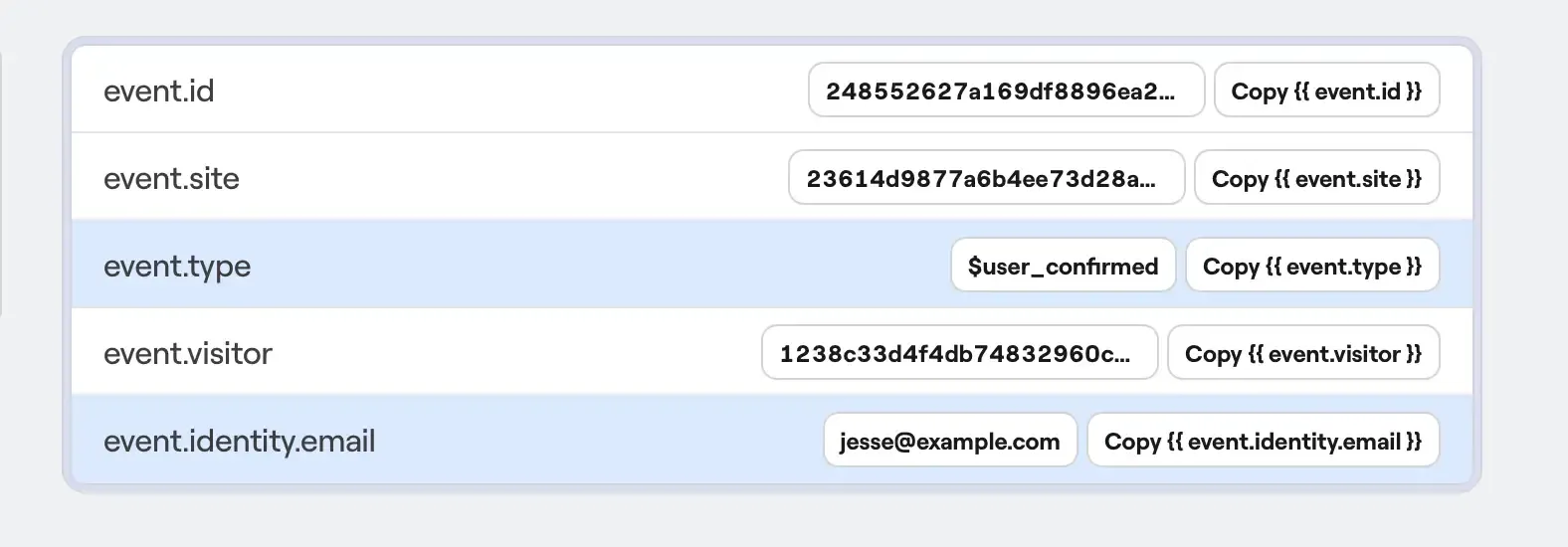
Use the event data (email, user ID, confirmation timestamp, plan, etc.) to trigger sequences, transactional emails, or even alert your support team inside Bento Chat.***
Need the original Markdown? Open raw file