WhatsApp & SMS + Bento
Connect Bento Chat to Twilio, Bandwidth, or 360Dialog to run compliant SMS and WhatsApp conversations, automations, and one-off campaigns.
Connect Bento Chat to Twilio, Bandwidth, or 360Dialog to run compliant SMS and WhatsApp conversations, automations, and one-off campaigns.
Quick facts
- Vendor
- Bento
- Category
- first party
- Tags
- messaging, chat, automations
Requirements
- Active Bento workspace with Chat enabled
- SMS or WhatsApp provider account (Twilio, Bandwidth, or 360Dialog)
- Dedicated phone number that supports two-way messaging
- Documented consent process for every contact you plan to message
Legal disclaimer
This guide is not legal advice. You are responsible for complying with TCPA, GDPR, and any other regional regulations that govern SMS/WhatsApp messaging. Collect explicit consent, honor opt-outs immediately, and store proof of consent for the appropriate statute of limitations (four years under the TCPA).
Pricing
Bento Chat is included in every plan, but messaging fees are billed by your carrier (Twilio, 360Dialog, Bandwidth, etc.). Keep an active balance with your provider so Bento can relay messages.
Overview
Bento Chat unlocks:
- Two-way SMS and WhatsApp threads for support or sales teams.
- Beta one-off campaigns for small segments (<1,000 contacts recommended).
- Flow actions that send automated SMS steps when subscribers meet conditions.
Prerequisites
- Choose your channel: SMS (Twilio or Bandwidth) or WhatsApp (Twilio or 360Dialog).
- Gather API credentials, phone numbers, and webhook URLs from the provider.
- Decide how you will store consent (Bento custom fields, tags, or an external system).
Setup
1. Create an inbox
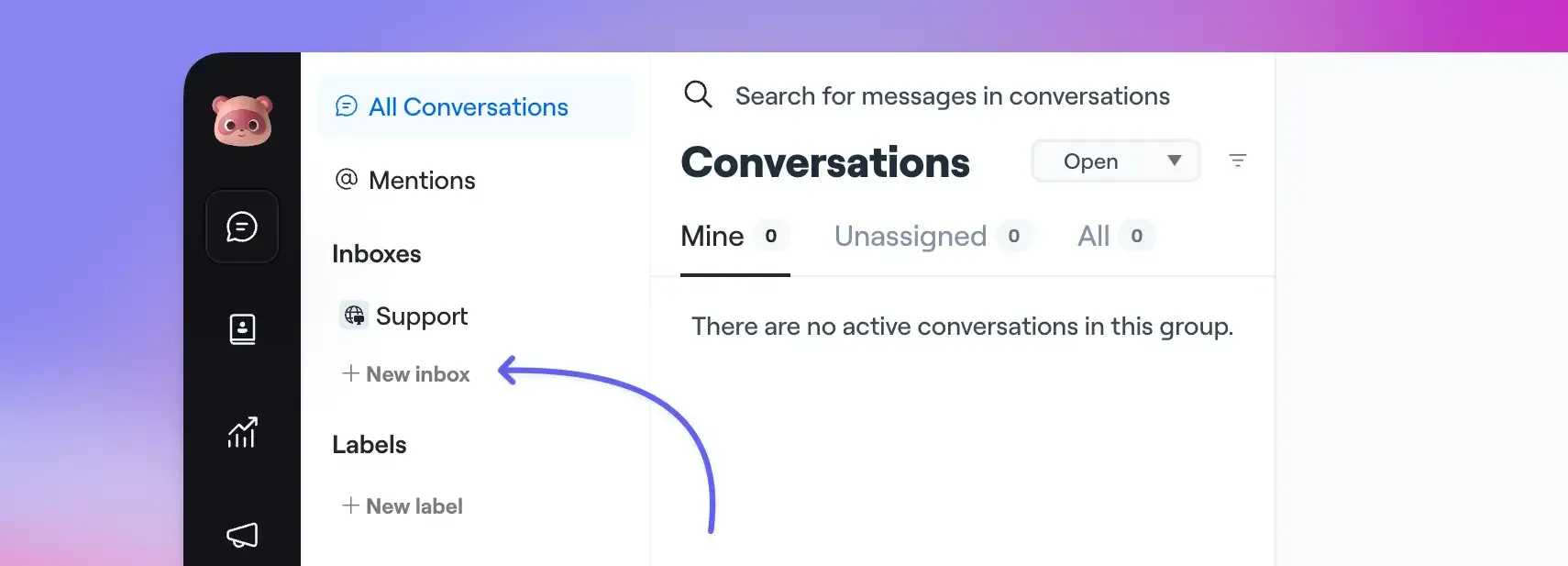
- Open Bento Chat → Settings → Add New Inbox.
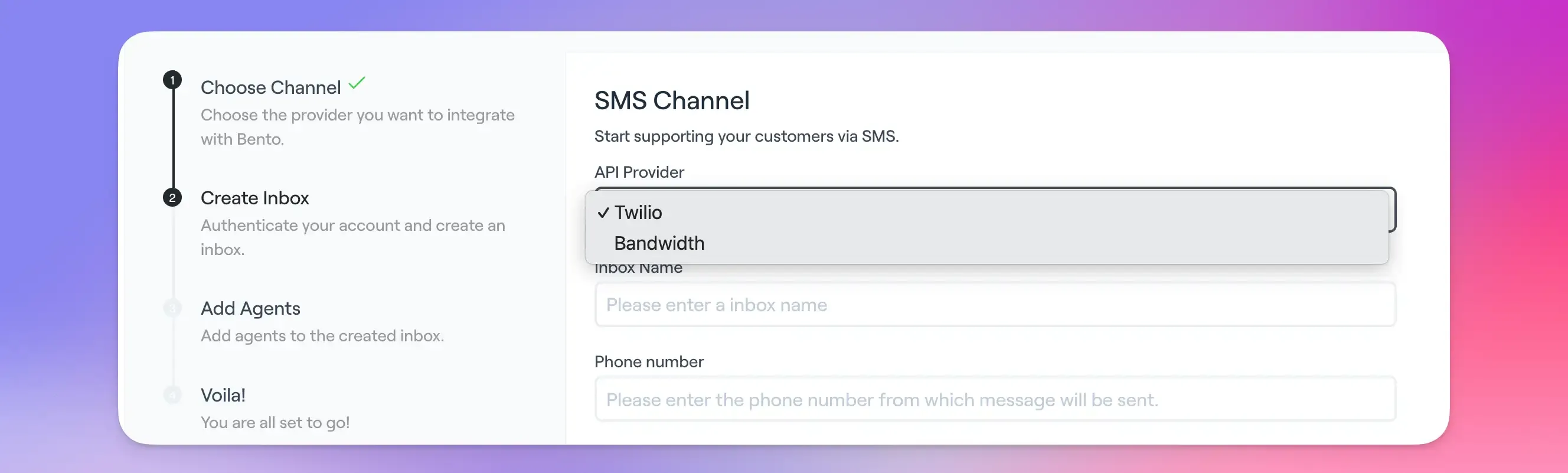
- Select SMS or WhatsApp, then pick the provider.
- Paste the provider’s Account SID/API key and auth token.
- Assign agents who should receive the conversations.
Supported providers:
- SMS: Twilio, Bandwidth
- WhatsApp: Twilio, 360Dialog
2. Configure provider webhooks
For Twilio SMS or WhatsApp numbers:
- Log into the Twilio Console → Phone Numbers → Active Numbers.
- Choose the number and edit the Messaging section.
- Set the Webhook URL to:
https://api.bentonow.com/v1/sms/callback/{your-unique-id}- Save. Repeat for every number you want Bento to own.
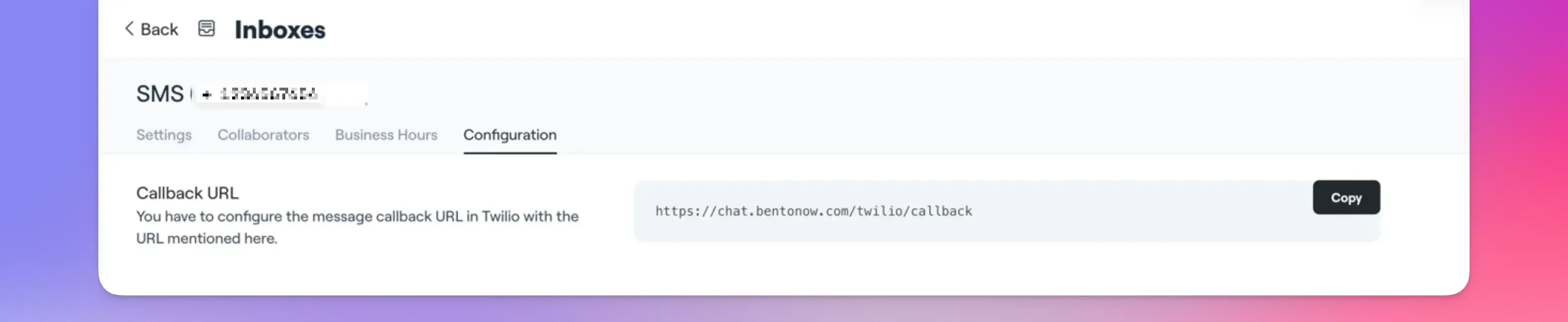
For other carriers (360Dialog, Bandwidth), follow their dashboard instructions and point the webhook to the same Bento callback URL.
3. Test the inbox
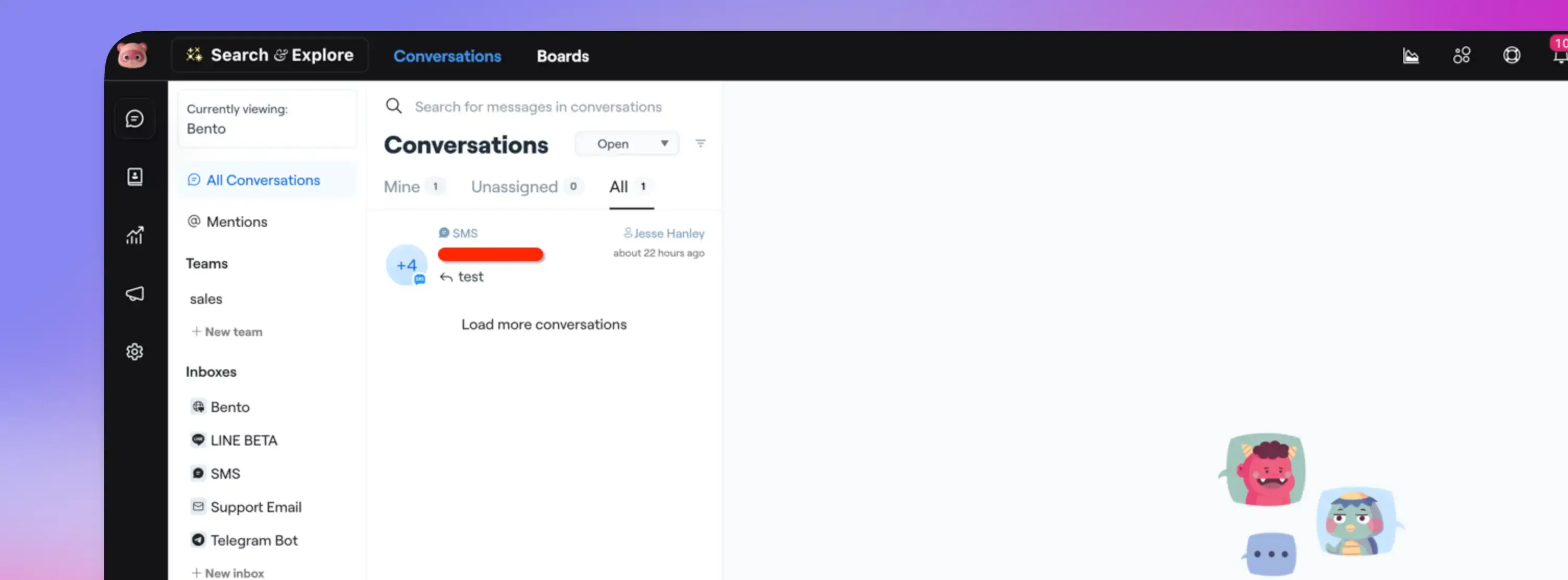
- Text the connected number from a personal device.
- Confirm the message appears inside Bento Chat.
- Reply from Bento and verify the response reaches your device.
Consent management
- Capture explicit, written consent before the first outbound message.
- Store the timestamp, capture method, and terms in Bento custom fields or an external CRM.
- Include “Reply STOP to opt out” (or the appropriate local wording) in your first outbound touch.
- Provider-level opt outs (e.g., Twilio STOP) happen upstream, so consider tagging the subscriber in Bento as well to keep flows honest.
Message management
- Global opt-out: carriers block the number immediately when someone replies STOP/UNSUBSCRIBE.
- Bento subscription status: use flows to watch for “STOP” keywords and apply tags or unsubscribe the contact so email + SMS preferences stay aligned.
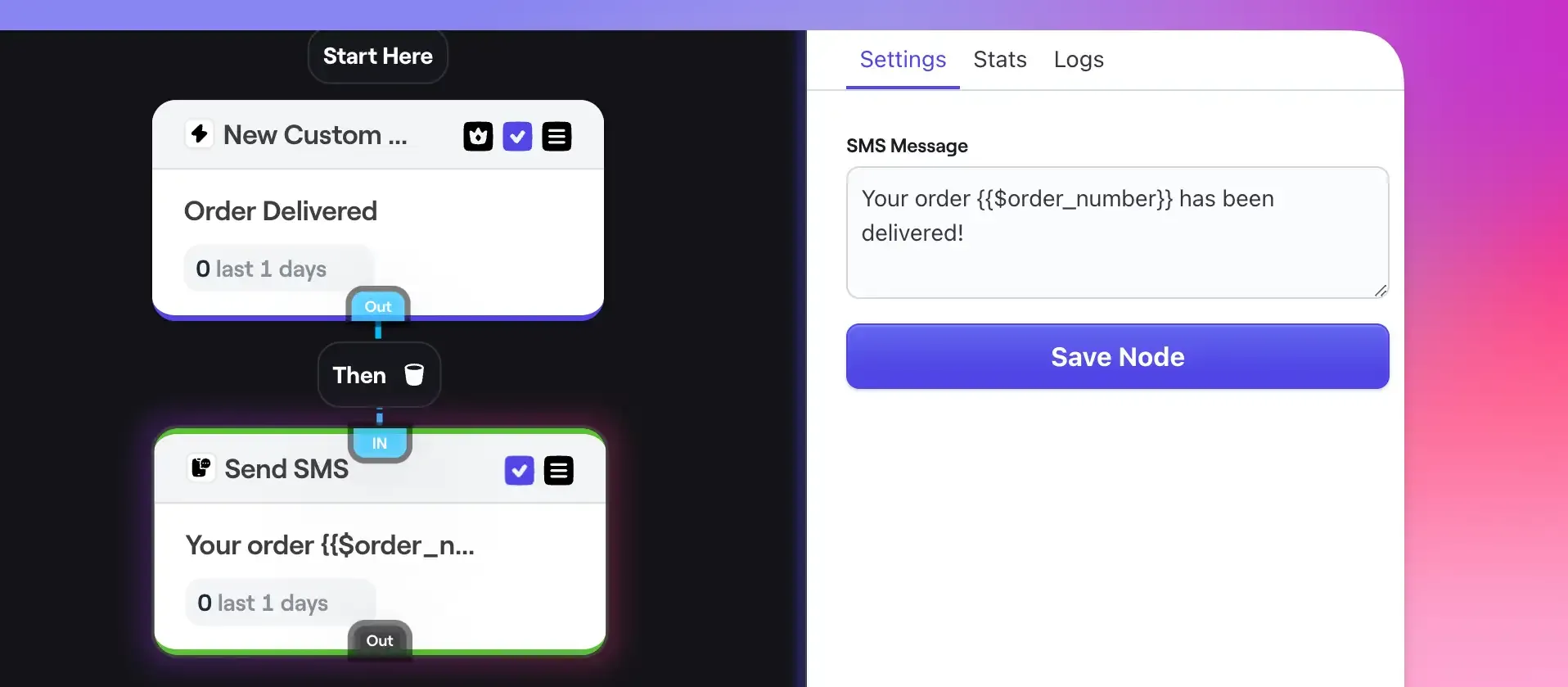
- Use Flows → Send SMS actions to trigger event-driven responses.
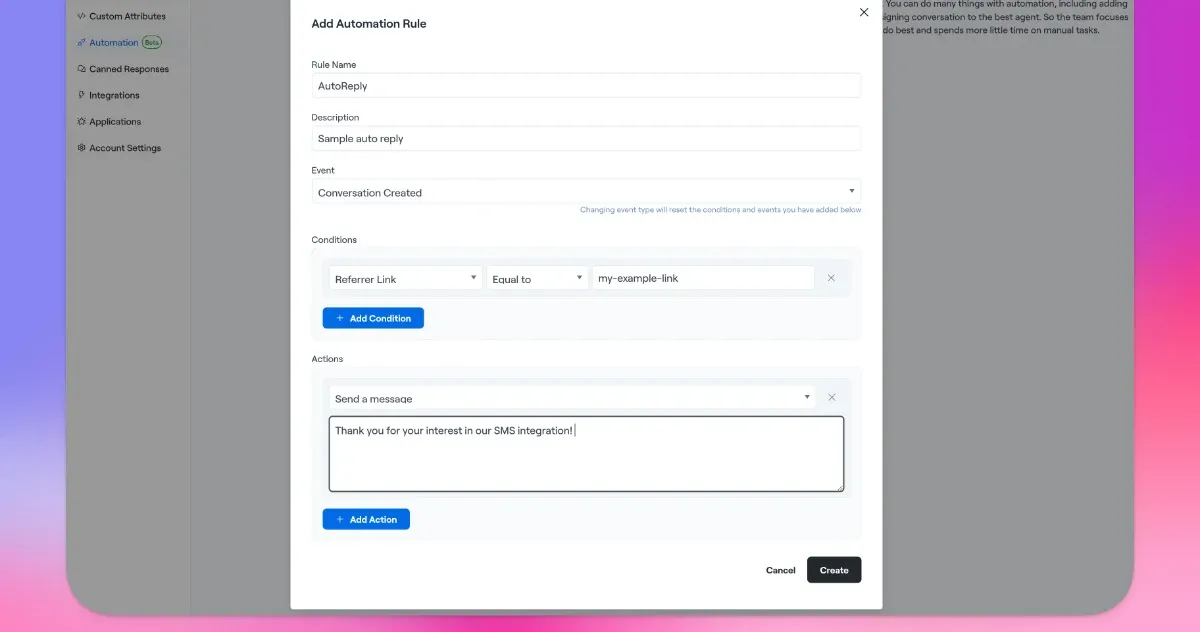
- Chat automations (beta) let you auto-respond inside the inbox when specific phrases arrive.
One-off campaigns (beta)
- Import contacts that contain both email and phone number plus a consent indicator.
- Build a segment or tag for targeting.
- In Bento Chat, go to Campaigns → New Campaign, choose the inbox, and schedule the send.
- Start with small audiences—messages currently deliver simultaneously.
Warning: Do not blast large lists until you validate deliverability and consent workflows. The beta campaign tool is optimized for highly targeted sends.
Best practices
- Keep messages short, personal, and immediately valuable.
- Respect local quiet hours (no early morning/late night sends).
- Always identify your brand and include opt-out instructions.
- Test every automation path and unsubscribe keyword before going live.
Troubleshooting
- Messages not sending – re-check provider credentials and confirm the webhook URL matches the Bento callback.
- Webhook errors – inspect carrier logs; typos in the URL or revoked credentials are the most common causes.
- Import failures – ensure phone numbers are E.164 formatted and that you’re importing the consent field/tag.
Support
- Email: support@bentonow.com
- Chat with the team in the Bento Discord for faster troubleshooting.***
Need the original Markdown? Open raw file