Zapier + Bento
Move data between Bento and 7,000+ Zapier apps—track events, update subscribers, or start automations without writing glue code.
Move data between Bento and 7,000+ Zapier apps—track events, update subscribers, or start automations without writing glue code.
Quick facts
- Vendor
- Zapier
- Category
- second party
- Tags
- automation, no-code, workflows
Requirements
- Active Bento workspace with publishable key, secret key, and site UUID
- Zapier account with permission to add new connections
- Ability to manage the Zaps that will push or pull Bento data
Overview
Use Zapier when you need Bento to react to events in other tools (CRMs, forms, payment processors) or when those tools should know about Bento activity. Once connected you can:
- Track events and send purchase metadata into Bento.
- Create or update subscribers anytime a Zap fires.
- Trigger Bento flows or LTV updates using whatever apps your team already relies on.
Requirements
- Publishable Key, Secret Key, and Site UUID from System → API Keys in Bento.
- Zapier seat with access to private connections.
- Clear plan for which Zaps will read/write Bento data so you can map fields accurately.
Installation Steps
1. Generate keys inside Bento
- Open System → API Keys.
- Click Copy on both the Publishable Key and Secret Key.
- Copy the Site UUID for the workspace you want Zapier to talk to.
2. Authorize Bento in Zapier
- Create or edit any Zap and choose Bento when Zapier prompts you to pick an app + event.
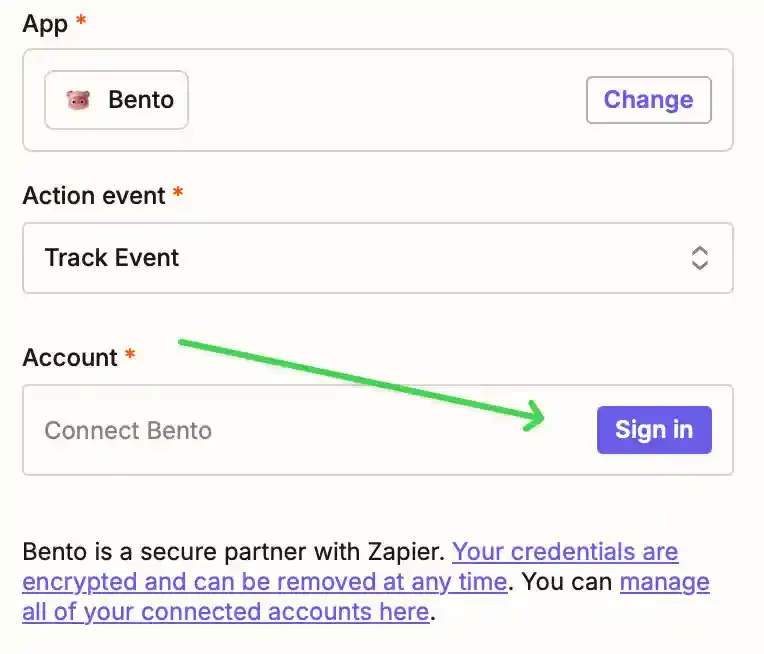
- Click Sign in when Zapier asks for Bento credentials.
- Paste the Publishable Key, Secret Key, and Site UUID into the modal.
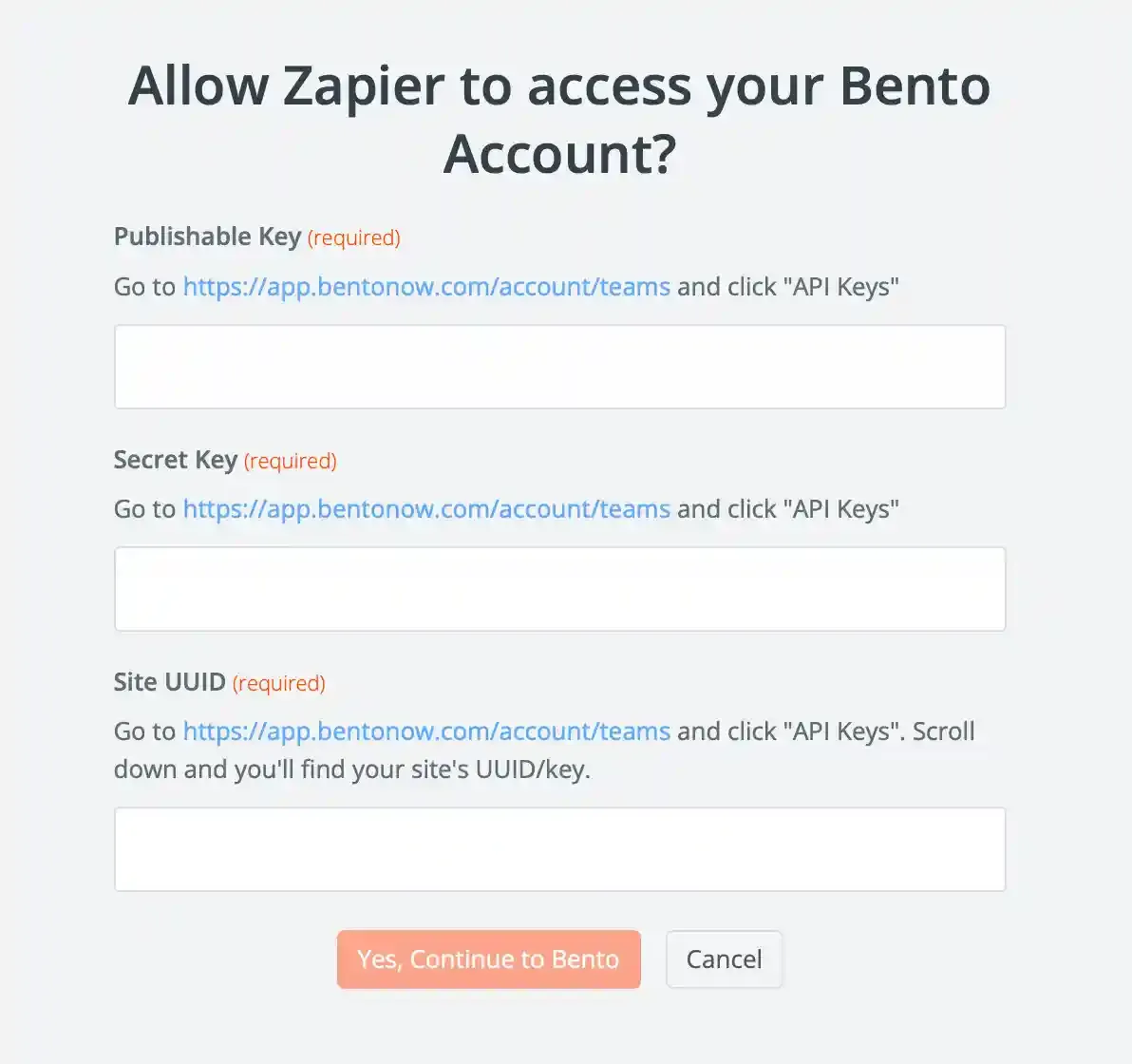
- Click Yes, Continue to Bento.
Zapier does not validate the keys immediately. If a key is mistyped the Zap will fail later, so double-check the values before saving.
3. Build your Zap
- Choose the trigger app (e.g., Stripe, Webflow, Typeform) and configure its output.
- Add Bento as the action. Map fields such as email, event name, properties, tags, or purchase amounts.
- Test the Zap to ensure Bento receives the payload you expect, then turn it on.
How the connection works
Zapier stores your Bento credentials and reuses them for every Zap. When the Zap fires it sends a signed request to Bento’s API, allowing you to:
- Record events that immediately trigger Bento automations and update lifetime value metrics.
- Maintain subscriber fields and tags in response to third-party tools (CRMs, spreadsheets, form tools, etc.).
- Keep reporting accurate by pushing external transaction data into Bento.
Use Zapier’s built-in error handling or notifications so you know if a Zap fails—fixing bad credentials or remapping fields there will keep Bento data flowing smoothly.***
Need the original Markdown? Open raw file